 Qisthi Ramadhani
 In my previous post, I covered how to implement health check endpoints across Hyperf, Hypervel, and Webman. Today, I’ll demonstrate how to benchmark these endpoints using PestPHP’s built-in stress testing tool, with real-world results and insights to help you evaluate performance in your own stack.
What Is PestPHP Stress Test?
PestPHP is a modern PHP testing framework, and its stress command allows developers to simulate high-concurrency HTTP requests against an endpoint. This is useful for measuring throughput, latency, and reliability under load—crucial metrics for production readiness.
Example Command:
./vendor/bin/pest stress http://127.0.0.1:9501/up --concurrency=3 --duration=3--concurrency=3: Sends 3 requests in parallel.--duration=3: Runs the test for 3 seconds.- The target endpoint here is
/up, our health check route.
Reading the Results
After running the stress test, PestPHP produces a detailed performance report. Here’s how to interpret the output:
Key Metrics
- Test Duration: Total time the test ran (e.g., 3.00 seconds).
- Concurrency: Number of simultaneous requests (e.g., 3).
- Requests Count: Total requests sent and average requests per second.
- Success Rate: Percentage of successful responses (should be 100% for a healthy endpoint).
- DNS Lookup & TLS Handshake: Time spent resolving DNS and establishing secure connections (usually negligible for localhost).
- Request Duration Breakdown:
- Upload: Time to send the request body.
- TTFB (Time to First Byte): Time until the first byte of the response is received (includes server processing).
- Download: Time to receive the full response.
- Data Transfer Rates: Upload and download speeds in MB/s.
Example Output Summary
Test Duration:        3.00 seconds
Test Concurrency:     3
Requests Count:       55,932 requests (18,642.49 requests/s)
Success Rate:         100.0%
DNS Lookup Duration:  0.00 ms
TLS Handshake:        0.00 ms
Request Duration:
  - Upload:           1.6%
  - TTFB:             93.5%
  - Download:         4.9%
Upload Rate:          2.15 MB/s
Download Rate:        35.36 MB/s
Status:               Excellent
Benchmarking Results Across Frameworks
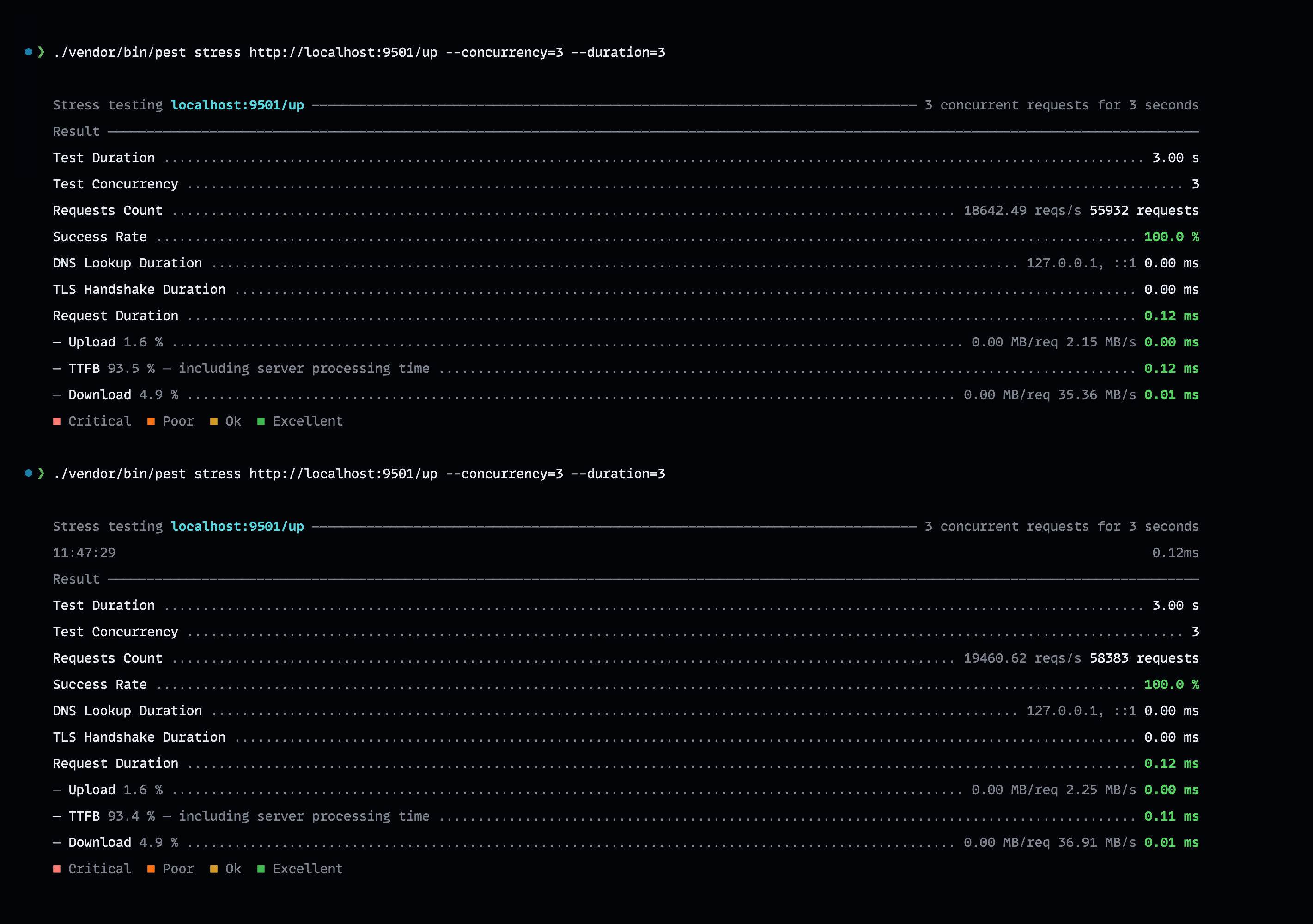
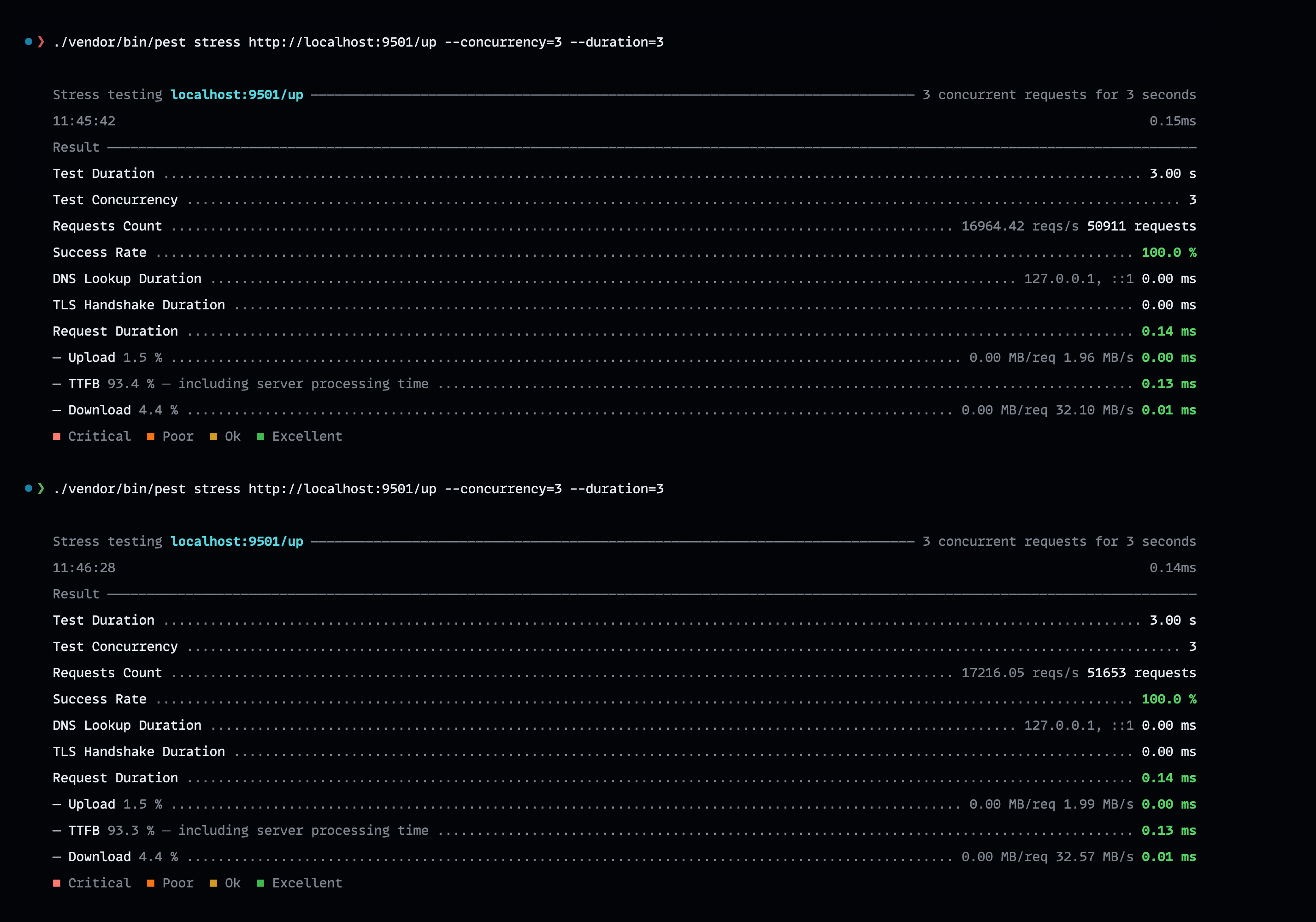
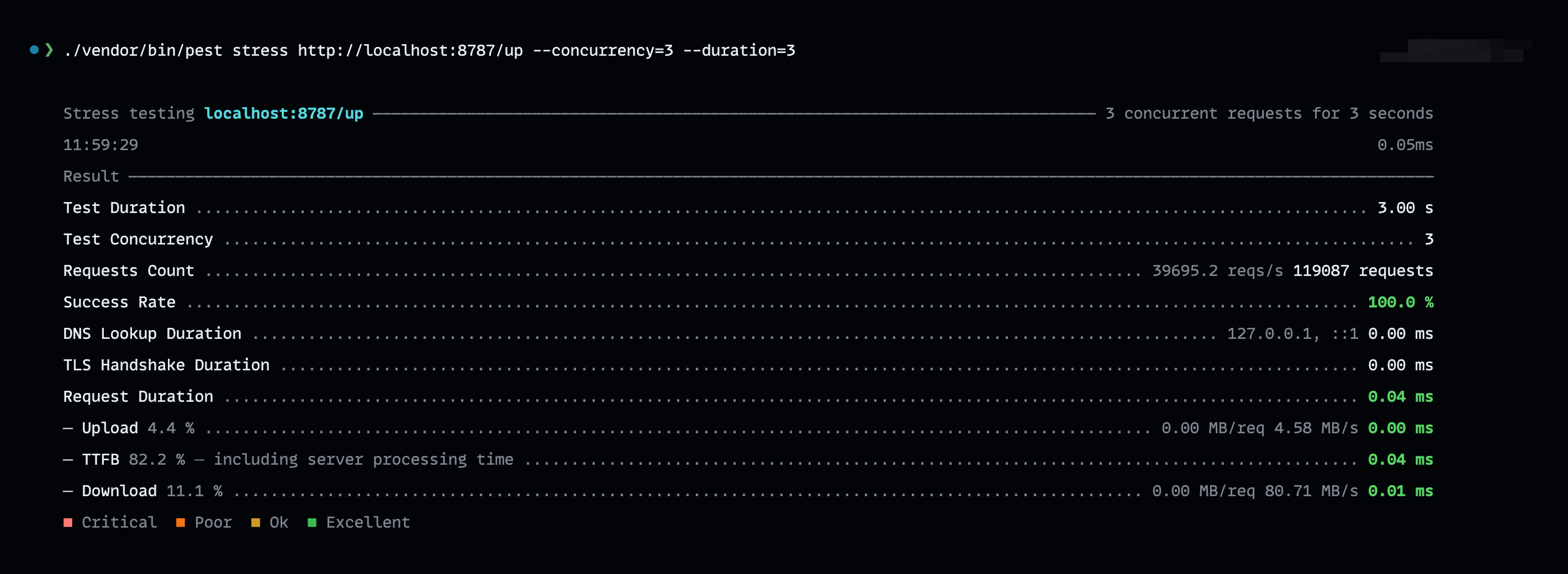
I ran the stress test against the /up endpoint in both Hypervel and Hyperf environments. Here’s a breakdown:
Hypervel
- Requests/Sec: ~18,600–19,400
- Total Requests: ~55,900–58,300 (3 seconds, 3 concurrency)
- Success Rate: 100%
- TTFB: ~93.4–93.5% of request duration
- Status: Excellent
Hyperf
- Requests/Sec: ~16,900–17,200
- Total Requests: ~50,900–51,600 (3 seconds, 3 concurrency)
- Success Rate: 100%
- TTFB: ~93.3-93.4% of request duration
- Status: Excellent
Webman
- Requests/Sec: ~39,600-41,900
- Total Requests: ~119,000-125,900 (3 seconds, 3 concurrency)
- Success Rate: 100%
- TTFB: ~81.8-82.2% of request duration
- Status: Excellent
What Do These Results Mean?
- High Throughput: Each framework handled tens of thousands of requests in three seconds with just three concurrent clients.
- Zero Errors: A 100% success rate means the endpoint is robust and stable under load.
- Low Latency: Minimal DNS and TLS times for local tests; TTFB is the main factor, reflecting efficient server-side processing.
- Scalability: These results suggest the endpoints are ready for production, able to withstand traffic spikes and health probe storms.
How to Benchmark Your Own Endpoints
- Install PestPHP: Add Pest to your project with Composer.
- Run Stress Tests: Use the
stresscommand as shown above, adjusting concurrency and duration to match your use case. - Analyze: Look for high requests per second, low TTFB, and a 100% success rate.
- Iterate: Optimize your application or infrastructure if you see bottlenecks or errors.
Conclusion
PestPHP’s stress test tool provides an easy yet powerful way to benchmark health endpoints in PHP applications. Whether you’re deploying on Hyperf, Hypervel, or Webman, regular load testing ensures your services remain reliable, performant, and cloud-ready.
Feel free to share your own results or ask questions about tuning your endpoints for even higher performance!