 Qisthi Ramadhani
 In our last article, we explored the what and why of Laravel Octane, understanding how it shifts our applications to a powerful, stateful model with servers like Swoole. Now, it’s time to roll up our sleeves and build our high-performance development environment.
📚 Series Navigation: This is Part 3 of the Laravel Octane Mastery series.
One of the initial hurdles when working with tools like Swoole can be the setup process. Swoole is a PHP extension written in C, and installing it can sometimes be complex, requiring compilation and specific system dependencies. This is where Laravel Sail comes in—a tool designed to make our lives as developers much, much easier.
Simplifying Development with Laravel Sail
Laravel Sail is a lightweight command-line interface for interacting with Laravel’s default Docker development environment. If you’re new to Docker, don’t worry! Sail is incredibly beginner-friendly. It abstracts away the complexities of Docker, allowing you to get a complete, containerized development environment up and running with just a few commands.
The best part for our purposes? The official Docker images that Sail uses often come with the Swoole extension already installed and configured. This removes the biggest setup hurdle and lets us focus on what matters: building a blazing-fast application.
Step-by-Step Installation Guide
Let’s walk through the entire process of creating a new Laravel project and configuring it to run with Octane and Swoole via Sail.
Step 1: Create a New Laravel Project
First, we’ll create a fresh Laravel application. You can use the global Laravel installer if you have it.
# Create a new Laravel project
laravel new high-performance-app

# Navigate into the new project directory
cd high-performance-app
If you don’t have the installer, you can use Composer instead:
composer create-project laravel/laravel high-performance-appStep 2: Install and Start Laravel Sail
With our project created, let’s add Sail as a development dependency.
composer require laravel/sail --devNext, run the sail:install command. This will publish Sail’s docker-compose.yml file to the root of your project. When prompted to select services, you can choose mysql and redis, as Redis is highly recommended for queueing, which we’ll cover later in the series.
php artisan sail:install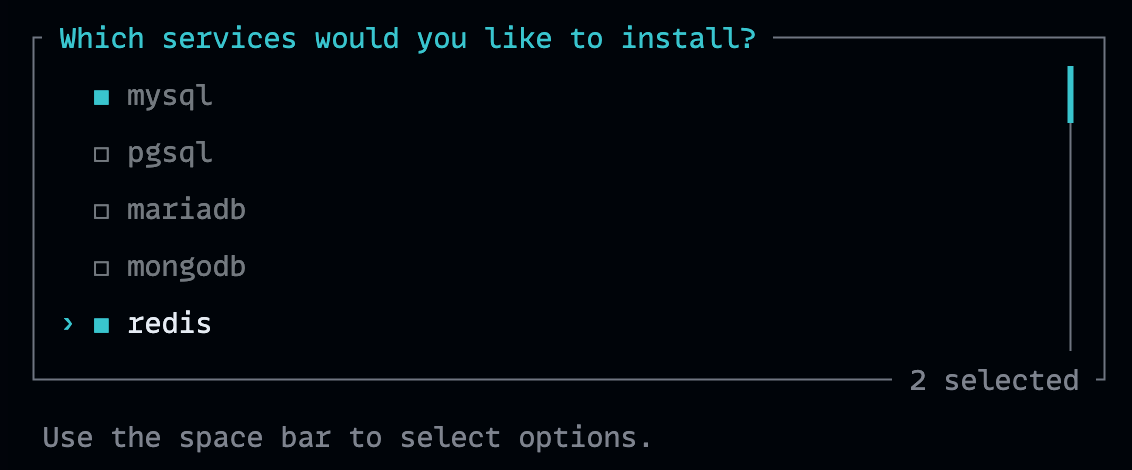
Now, let’s start our containers for the first time. The -d flag will run them in the background (detached mode).
# Start Sail in detached mode
./vendor/bin/sail up -d

# Migrate the database
./vendor/bin/sail artisan migrate
Verification: The first time you run this, Docker will download the necessary images, which might take a few minutes. Once it’s done, you can verify that the containers are running with ./vendor/bin/sail ps. You should see services like mysql, redis, and laravel.test with a running status. You can also visit http://localhost in your browser to see the default Laravel welcome page.
Step 3: Install Laravel Octane
With our Sail environment running, we can now install Octane. We’ll use Sail to run the Composer command, which ensures the package is installed inside our Docker container.
./vendor/bin/sail composer require laravel/octaneStep 4: Configure Octane for Swoole
Next, we’ll run the Octane installer. This command will create the config/octane.php file and ask which server we want to use. Be sure to select swoole.
./vendor/bin/sail php artisan octane:install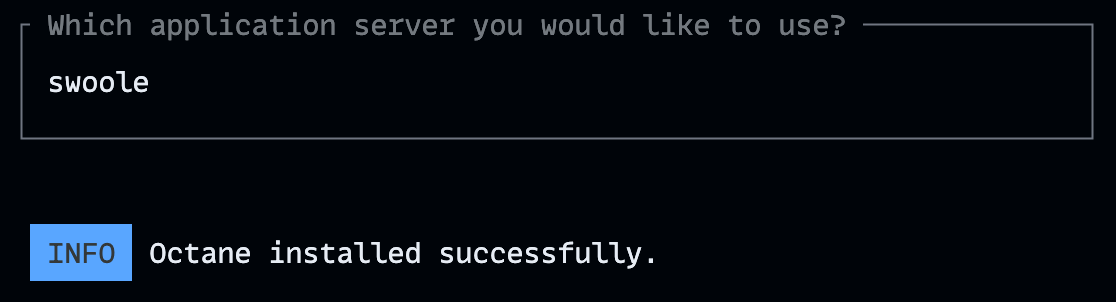
After running the command, you can check that the config/octane.php file has been created and that your .env file now contains OCTANE_SERVER=swoole.
Step 5: Configure Sail to Run Octane
By default, Sail uses the standard php artisan serve command to run your application. We need to tell it to use Octane instead. The official Laravel documentation recommends doing this by adding an environment variable to the laravel.test service in your docker-compose.yml file.
Open docker-compose.yml and add the SUPERVISOR_PHP_COMMAND variable under the environment key for the laravel.test service:
services:
    laravel.test:
        #... other configurations
        environment:
            SUPERVISOR_PHP_COMMAND: "/usr/bin/php -d variables_order=EGPCS /var/www/html/artisan octane:start --server=swoole --host=0.0.0.0 --port='${APP_PORT:-80}'"
            #... other environment variables
This tells Supervisor (the process manager inside the container) to use artisan octane:start to serve our application.
Step 6: Rebuild and Verify
Since we’ve changed our Docker configuration, we need to rebuild the image to apply the changes. The —no-cache flag ensures a fresh build.
# Rebuild the container image
./vendor/bin/sail build --no-cache

# Restart the containers
./vendor/bin/sail up -d
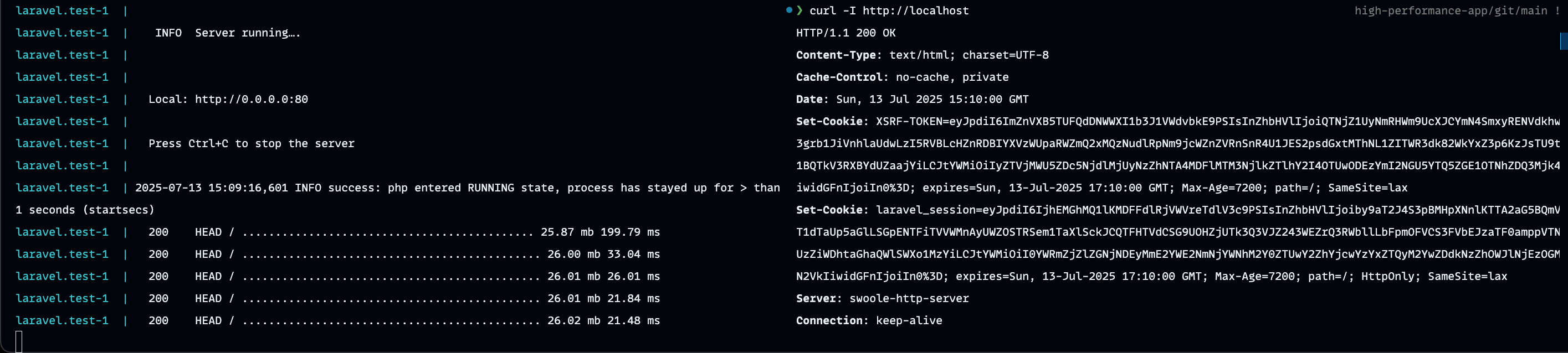
Verification: Let’s confirm that Octane is now serving our application. First, check the logs:
./vendor/bin/sail logs laravel.testYou should see output indicating that the Octane server has started and workers are running. For the final confirmation, use curl to inspect the response headers from your server:
curl -I http://localhostLook for the Server header in the output. It should say Server: swoole-http-server. If you see that, congratulations! Your high-performance environment is up and running.
A Smoother Workflow: Workers and Auto-Reloading
Now that we’re set up, let’s talk about the development workflow.
As we discussed, Octane manages a pool of workers—these are the PHP processes that serve incoming HTTP requests. Because the application is kept in memory, any changes you make to your code won’t be reflected until the workers are restarted. Manually restarting them every time you save a file would be tedious.
Thankfully, Octane has a solution: the --watch flag. This tells Octane to monitor your application’s files for changes and automatically reload the workers.
To use this feature, you first need to install a file-watching library called chokidar inside your Sail container
./vendor/bin/sail npm install --save-dev chokidarNext, update the SUPERVISOR_PHP_COMMAND in your docker-compose.yml file to include the --watch flag:
SUPERVISOR_PHP_COMMAND: "/usr/bin/php -d variables_order=EGPCS /var/www/html/artisan octane:start --server=swoole --host=0.0.0.0 --port='${APP_PORT:-80}' --watch"Rebuild your container one last time (./vendor/bin/sail build --no-cache and ./vendor/bin/sail up -d), and now your workers will restart automatically whenever you change a PHP file!
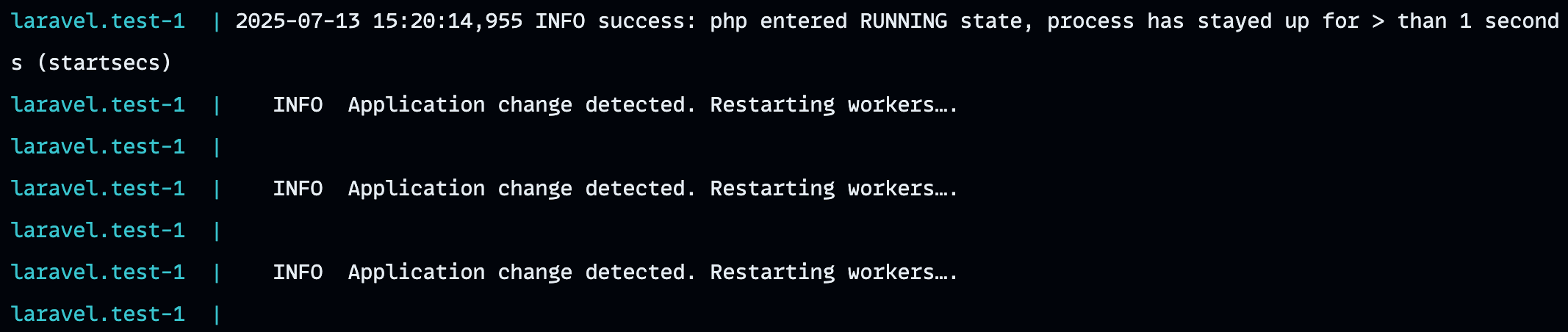
If you ever need to reload the workers manually, you can use the octane:reload command:
./vendor/bin/sail php artisan octane:reloadWhat’s Next?
We’ve successfully built a robust, containerized development environment using Laravel Sail, Octane, and Swoole. We’re now perfectly positioned to start exploring the advanced features that this stack provides.
In the next article, we’ll dive into one of the most powerful capabilities unlocked by Swoole: concurrency. We’ll learn how to use Octane::concurrently() to execute multiple tasks in parallel and dramatically speed up I/O-bound operations like database queries and API calls.
What’s Next?
Congratulations! You now have a complete Laravel Octane development environment running with Swoole. You’ve seen firsthand how Octane can dramatically improve your application’s performance.
Continue the Journey: Ready to unlock the true power of Swoole? In Part 3: Concurrency and Asynchronous Workflows, we’ll explore how to handle multiple tasks simultaneously and build truly responsive applications.
In our next article, we’ll dive into the advanced features that make Swoole special: concurrent task execution, interval ticks, and asynchronous workflows. We’ll build a practical example that showcases these capabilities in action.
Works cited
- High Performance with Laravel Octane - Roberto Butti, accessed July 13, 2025, https://subscription.packtpub.com
- Laravel Sail - Laravel 12.x - The PHP Framework For Web Artisans, accessed July 13, 2025, https://laravel.com/docs/12.x/sail
- Laravel Octane - Laravel 12.x - The PHP Framework For Web Artisans, accessed July 13, 2025, https://laravel.com/docs/12.x/octane
- How to Install Laravel Octane - Laracasts, accessed July 13, 2025, https://laracasts.com/series/laravel-octane/episodes/2
- Setting up Laravel Octane with Swoole using Laravel Sail - Packt, accessed July 13, 2025, https://www.packtpub.com/en-mx/product/high-performance-with-laravel-octane-9781801819404/chapter/chapter-3-configuring-the-swoole-application-server-5/section/setting-up-laravel-octane-with-swoole-using-laravel-sail-ch05lvl1sec20
- Sail Install laravel 12 - Laracasts, accessed July 13, 2025, https://laracasts.com/discuss/channels/laravel/sail-install-laravel-12
- High-performance Laravel application powered by Octane. Demonstrates significant speed improvements using Swoole, RoadRunner, or FrankenPHP servers. Includes Docker setup with Laravel Sail for easy development and deployment. - GitHub, accessed July 13, 2025, https://github.com/waadmawlood/laravel-octane-sail-example
- The basics of Laravel Queues using Redis and Horizon - VOLTAGE, accessed July 13, 2025, https://voltagead.com/the-basics-of-laravel-queues-using-redis-and-horizon/
- Long Running Jobs with Laravel Horizon | by William Vicary - Medium, accessed July 13, 2025, https://medium.com/@williamvicary/long-running-jobs-with-laravel-horizon-7655e34752f7
- Laravel Octane | Laravel 中文文档 - Installation, accessed July 13, 2025, https://docs.golaravel.com/docs/8.x/octane
- A simple explanation about concurrency with Laravel Octane - DEV Community, accessed July 13, 2025, https://dev.to/marcoaacoliveira/a-simple-explanation-about-concurrency-with-laravel-octane-5d5h
- Laravel Octane - Beyond Code, accessed July 13, 2025, https://beyondco.de/blog/laravel-octane-introduction
- Unable to run Octane in development mode with —watch after adding ‘type: module’ to Laravel boilerplate #695 - GitHub, accessed July 13, 2025, https://github.com/laravel/octane/issues/695
- Advanced Techniques for Laravel Octane: Supercharging Your Application - Medium, accessed July 13, 2025, https://medium.com/@islamshariful/advanced-techniques-for-laravel-octane-supercharging-your-application-34db88f75432
- Debugging in Laravel Octane - Laracasts, accessed July 13, 2025, https://laracasts.com/discuss/channels/laravel/debugging-in-laravel-octane
- Artisan Console - Laravel 12.x - The PHP Framework For Web Artisans, accessed July 13, 2025, https://laravel.com/docs/12.x/artisan
- Tips on using Laravel Telescope in Production - Laracasts, accessed July 13, 2025, https://laracasts.com/discuss/channels/laravel/tips-on-using-laravel-telescope-in-production